


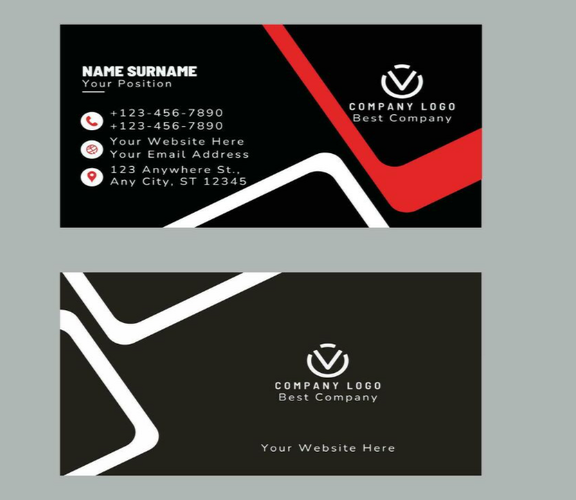
A great tool is most helpful when it fits smoothly into your day. A digital business card is a lovely example. It can sit quietly in the background and make dozens of small tasks easier, from sharing your details to following up with new contacts.
In this guide, you will find friendly, practical ways to weave a digital business card into your everyday routine. Each idea is simple and quick to try. By the end, your card will feel like a natural part of your working day.
Start With a Profile You Love
A smooth workflow begins with a profile that makes you smile. Spend a little time setting it up well, and it will serve you for months.
Add a bright, friendly photo and your name and role. Write two or three warm sentences about what you do and who you help. Include your phone number, email address and website, and add one or two favourite links. Finish with one clear button, such as “Book a call.”
When your profile is ready, you can share it with confidence. Every future step in your workflow builds on this solid foundation.
Place Your Card Where You Can Reach It
Easy access makes a habit stick. Think about where you can keep your card close, so it is ready whenever a moment arises.
Save your profile link on your phone’s home screen, so one tap opens it. Keep your QR code in your phone’s photo favourites or wallet. Place your NFC card in a pocket, a phone case or a card holder you carry daily.
When your card is always within reach, sharing it becomes second nature. You can enjoy the conversation and let the technology work quietly.
Add It to Your Email Signature
Your email signature is one of the busiest spots in your workday. Every message you send is a chance to say hello with style.
Add a short, friendly line such as “Save my details” with your profile link. Keep the rest of the signature tidy, with your name, role and company. Recipients can open your profile, save your contact and explore your work in moments.
Because the link always points to your latest profile, your signature stays up to date on its own when your details change. You edit your profile once, and every email stays current.
Weave It Into Your Calendar and Booking Tools
Scheduling can take many messages. A digital business card helps by pointing people straight to your calendar.
Add a booking link to your profile, so new contacts can choose a time that suits them. Many calendar tools offer simple booking pages that fit neatly into a profile button. When someone says, “Let’s chat next week,” you can send your profile link, and they pick a slot at once.
This keeps your diary organised and saves you from lengthy back-and-forth messages. You gain time for the work you enjoy.
Use It in Meetings and Video Calls
Meetings are wonderful moments to share your details. In person, a tap on your NFC card gives people your profile in seconds. On video calls, paste your link into the chat, and everyone can save your contact straight away.
You can also add your QR code to the final slide of a presentation. Attendees scan it with their phones and visit your profile while the conversation is still fresh.
A gentle line such as “I will pop my details in the chat” helps meetings end on a friendly, organised note.
Make Events Easier
Events fill your diary with new faces, so a smooth routine helps you shine. Before the event, review your profile and add anything fresh, such as a new project or a welcome message. Charge your phone and place your NFC card somewhere handy.
During the event, share your card when a conversation feels warm. Jot down one memorable detail about each person in your notes app. After the event, send a friendly message to each new contact and include your link.
This simple rhythm of prepare, share and follow up turns every event into a chance to build lasting relationships.
Connect It With Your Contact Tools
Many platforms connect with popular contact management tools. When someone leaves their details on your profile, the information can flow straight into your list.
This helps you keep your contacts neat and your follow-ups timely. You can tag each new connection with the event or date, so you remember where you met. Some tools even create a gentle reminder for you to send a hello after a few days.
If you prefer a simple approach, you can export your contacts to a spreadsheet once a week. Either way, your new connections stay organised and easy to find.
Share It Across Your Social Pages
Your social media pages are busy meeting places. Adding your profile link to your bios helps visitors find you in a tap.
Place your link in your professional social page’s contact section. Add it to your bio on other platforms too. When you post about a project or an event, mention your profile in a friendly comment.
This turns your social presence into a bridge. People who enjoy your posts can move easily to your profile and learn more about your work.
Add It to Proposals, Quotes and Invoices
Documents you send to clients are perfect places to include your link. A short line at the bottom of a proposal, quote or invoice can read, “Questions? Find my details here,” with your profile link or QR code.
Clients can then reach you quickly and see your latest news. If someone else in their team opens the document, they can save your details too. It is a simple touch that adds a professional finish.
Create a Friendly Follow-Up Routine
Follow-ups turn introductions into relationships, and a routine makes them easy. Set aside a few minutes at the end of each day or after each event.
Write a short message that thanks the person, mentions something you enjoyed discussing and includes your link. Save a few friendly templates in your email or notes app, so you can personalise them quickly.
Many platforms show when someone opens your profile. This helps you choose the best moment to say hello. A timely, caring message often brings a warm reply.
Keep Your Profile Fresh
A card that reflects your latest work always feels welcoming. Build a small habit of reviewing it.
Choose a regular day, such as the first Monday of the month. Check that your links open correctly. Add a new project, a recent review or a seasonal offer. Refresh your photo or introduction whenever your role grows.
This five-minute habit keeps your profile bright, and your contacts always find something new when they visit.
Review Your Insights
Many platforms show how many people opened your profile and which links they clicked. A quick glance each week or month gives you friendly guidance.
If your portfolio link is popular, move it higher on your page. If visits rise after an event, plan more events like it. If your booking button gets lots of clicks, mention it more often in your messages.
These small adjustments help your card work even better for you.
Share the Routine With Your Team
When a whole team adopts a digital business card, a shared routine brings extra joy. Choose a team template, so every colleague has the same logo, colours and layout. Agree on a signature style and a simple follow-up message.
Hold a short session to help everyone set up their profile and practise sharing. New joiners can receive their card in their first week. When the company updates its look or opens a new office, one change refreshes every profile together.
Workflow Ideas for Different Roles
Every role has its own rhythm, and a digital business card adapts happily. A sales professional can place the link in every outreach email and use the booking button to arrange demos. A consultant can add the profile to proposals and share it at the end of each workshop. A recruiter can send the link with every job invitation, so candidates see open roles and a friendly face.
A designer can attach the profile to project updates and link to a fresh gallery. A shop owner can place a QR code at the till and on delivery bags. Choose the ideas that suit your day, and your digital business card will fit in like a trusted colleague.
Little Reminders That Build the Habit
New habits grow best with gentle reminders. Add a repeating note in your calendar named “Refresh my card” for the first Monday of each month. Place a sticky note near your desk that says “Share my link.” Set your phone so your profile link appears in your favourite shortcuts.
After a week or two, sharing your digital business card will feel as natural as saying hello. You will find yourself reaching for it in every meeting, message and event, and your contacts will enjoy the smooth, friendly experience.
A Sample Daily Routine
Here is an easy example you can adapt.
Morning. Glance at your diary, check your profile link is on your phone’s home screen and send your first emails with your signature in place.
During the day. Share your card in meetings, on calls and with new contacts. Note one detail about each person.
Afternoon. Send follow-up messages to people you met, including your profile link.
End of day. Review your insights for a moment and plan tomorrow’s introductions.
Frequently Asked Questions
How can I start using a digital business card in my daily work?
Begin by adding your profile link to your email signature and your phone’s home screen. Then share it during meetings and follow-up messages.
Where is the best place to keep my NFC card?
A pocket, a phone case or a card holder that you carry every day works well. Choose a spot that feels natural and easy to reach.
Can I connect my card to my calendar?
Yes. Add a booking link from your calendar tool to a button on your profile, and new contacts can choose a time that suits them.
How do I remember who I met at an event?
Jot down one detail about each person in your notes app, and use any contact list your platform provides. This makes your follow-up message feel personal.
Can I add my card to documents such as proposals?
Absolutely. A short line with your link or QR code at the bottom of a proposal, quote or invoice gives clients an easy way to reach you.
How often should I update my profile?
A quick monthly review works well, along with an update whenever you have news such as a new project or role.
Can a team use the same workflow?
Yes. Team templates keep every profile consistent, and a shared routine helps everyone share and follow up in the same friendly way.
What is the quickest way to try a digital business card?
Create a simple profile, share your link in your next email and use your QR code at your next meeting. You can add more features as you grow comfortable.
Final Thoughts
A digital business card shines brightest when it becomes part of your everyday rhythm. Place it in your email signature, your calendar, your meetings, your events and your follow-ups, and it will quietly support you throughout the day. Each small step saves time and helps people connect with you more easily.
Begin with a profile you love and one or two simple habits. Then add more as you enjoy the benefits. With a little care, your digital business card will become a trusted helper in your daily workflow.